
#ad – this guide contains affiliate links. If you buy through them, HomeTechFit may earn a commission at no extra cost to you.
If your mum, dad or another older relative lives on their own, you’ve probably wondered how to keep in touch more easily and make their home a little safer without taking over their life. Smart home tech for elderly parents can help: a video doorbell to see who’s calling, a camera you can check with their agreement, lights that switch on automatically and plugs that turn appliances off on a timer.
This guide explains which smart home devices for older people are genuinely useful, how to keep things simple, and how to set everything up so your parent stays in control.
Quick picks: the most useful smart home tech for parents
- See who’s at the door: a video doorbell or front-door camera.
- Check in remotely: an indoor pan-and-tilt camera, used with your parent’s consent.
- Safer at night: motion-activated lights for hallways, paths and driveways.
- Peace of mind: smart plugs to put heaters, lamps and fans on timers.
- No Wi-Fi at their house? a 4G security camera that uses a SIM card.
Start with a conversation, not a shopping list
The best setups start by asking your parent what would actually help them. Some people love the idea of seeing who’s at the door on their phone. Others find cameras intrusive. Agree together on what goes where, who can view it, and when. Cameras inside the home should only be used with the full knowledge and agreement of the person who lives there, and many families keep indoor cameras to shared spaces such as the hallway or living room, never bedrooms or bathrooms.
Video doorbells and front-door cameras
Doorstep cold callers and unexpected visitors are a common worry. A video doorbell or a camera covering the front door lets your parent see who’s there before they answer, and lets you see deliveries and visitors too, if they want you to.
What to look for
- Simple app: large buttons and clear alerts make a big difference.
- Two-way audio: talk to visitors without opening the door.
- Battery or wired: battery models are easiest to fit; wired models never need recharging.
- Shared access: check the app lets more than one family member receive alerts.
Indoor cameras for checking in
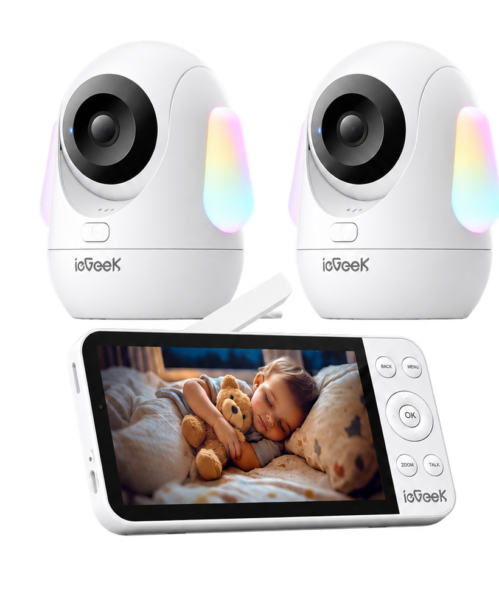
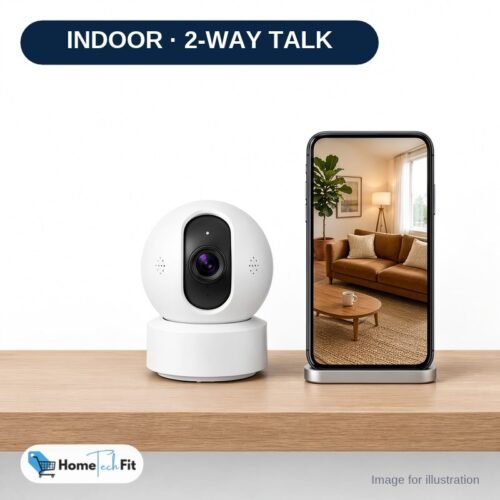
An indoor security camera with pan and tilt can give the family reassurance, especially after a hospital stay or during a cold snap. Two-way audio means you can say hello, and some families use it as an easy hands-free way to chat.
- Choose a camera with a privacy mode that your parent can switch on easily.
- Look for local storage on a microSD card so there’s no monthly fee.
- Pick 2K resolution and night vision for clearer images.
A camera is a way to stay in touch, not a substitute for visits, phone calls or professional care where it’s needed.
Outdoor security cameras
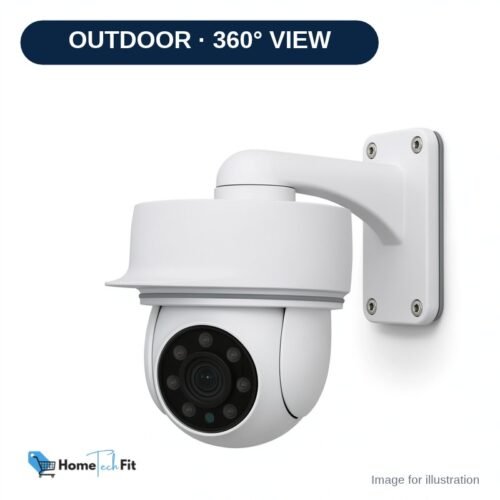
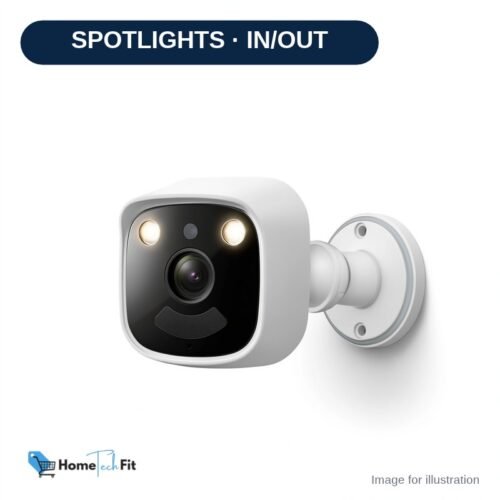
An outdoor security camera covering the drive, garden or back door can deter intruders and help your parent feel more secure. Solar-powered battery cameras avoid the need for cables. If a camera captures areas beyond your parent’s property, such as the street or a neighbour’s garden, UK data protection rules apply, so angle cameras carefully and use privacy masking where available.
No broadband? Try a 4G camera
Many older people don’t have home Wi-Fi. A 4G LTE security camera uses a mobile data SIM instead, and pairing it with a solar panel means it can run almost anywhere.
Motion-activated and solar lights
Motion sensor lights switch on automatically when someone walks past, which helps on dark paths, porches and driveways in winter. Solar-powered outdoor lights need no wiring at all. Indoors, plug-in or battery motion lights in the hallway or on the landing provide light during night-time trips without fumbling for a switch.
Smart plugs and smart bulbs
A smart plug can put a portable heater, electric blanket, lamp or fan on a timer, so it switches off automatically. You can also check from your phone whether something has been left on. Smart bulbs can switch on at dusk, so your parent never comes home to a dark house. Find these in our Smart Bedroom hub.
Keep the home warm and dry
Cold, damp homes are a winter worry for many older people. A simple room thermometer and humidity monitor shows whether rooms are staying warm enough, and smart versions can send readings to your phone. Our Winter Damp Checklist and Warm, Clean & Cosy Home hub cover heated throws, dehumidifiers and draught-proofing.
A note on the digital landline switchover
The UK is moving landlines from the old analogue network to digital phone lines. If your parent has a personal alarm, pendant or telecare system that uses their landline, contact the provider to check it will keep working after the switch.
Setting up smart home tech for elderly parents: 7 tips
- Keep it simple. Start with one or two devices that solve a real problem.
- Stick to one brand or app where you can, so there’s only one thing to learn.
- Set it up for them. Install apps, connect devices and test everything before you leave.
- Write simple instructions. A one-page guide with pictures by the device helps.
- Share access. Add a sibling or trusted neighbour so alerts don’t rely on one person.
- Agree privacy rules. Decide together where cameras go and when they’re switched off.
- Check in regularly. Update apps, charge batteries and ask what’s working.
Shop smart home tech for parents
Browse indoor and outdoor cameras, 4G and solar cameras and security lighting in our Smart Home for Parents hub.
Frequently asked questions
What is the best smart home tech for elderly parents?
A video doorbell, an indoor camera used with consent, motion-activated lights and smart plugs are some of the most useful and easiest devices to start with.
Can I use a security camera to check on my elderly parent?
Yes, as long as your parent knows about it and agrees. Keep cameras to shared spaces, use privacy mode when they want it and agree who can view the footage.
What if my parent doesn’t have Wi-Fi?
Look for a 4G security camera that uses a mobile data SIM. Solar-powered 4G cameras can work without broadband or mains power.
Are smart plugs safe to use with heaters?
Check that the smart plug’s maximum load is higher than the heater’s wattage and follow both manufacturers’ instructions. Many heaters shouldn’t be left unattended, so a timer is a backup, not a replacement for sensible use.
Do I need a monthly subscription for home cameras?
Not always. Many cameras save clips to a microSD card for free. Cloud storage and extra features usually need a subscription.
Help your parents feel safer at home. Explore the Smart Home for Parents hub for tech chosen for UK families.